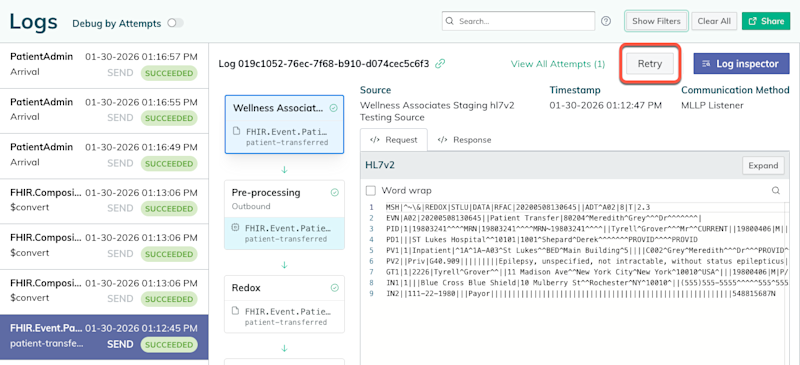
There may be cases when an asynchronous notification fails—or maybe you want to resend a successful one. Either way, you can manually resend an asynchronous notification.
- Any user can search and view log metadata. However, a user must be assigned to a support or an engineer role to retry a log. Learn about user roles.
- You must select the most recent attempt of an asynchronous log to retry. The Retry button isn’t available on an older attempt of an asynchronous log or a synchronous log.
- Log in to the Redox dashboard.
- From the navigation menu, click the Logs page.
- From the left-hand list, select the log you want to resend.
- To the right of the log name, click the Retry button.

Click the Retry button - This creates a new attempt within the same log (i.e., using the existing log ID).