
You can use any of our Dev Tool downloads during onboarding, implementation, or any phase of testing.
- Log in to the dashboard.
- From the navigation menu, click the Developer page.
- By default, the Sources tab opens. Click the Test Tools tab.
- By default, the Notifications Explorer opens. Click the Dev Tool Downloads button.
- A list of available downloads appears, grouped by authentication or Redox API type. Download the test tool(s) you need. When you click a download button, it turns green to indicate a successful download.

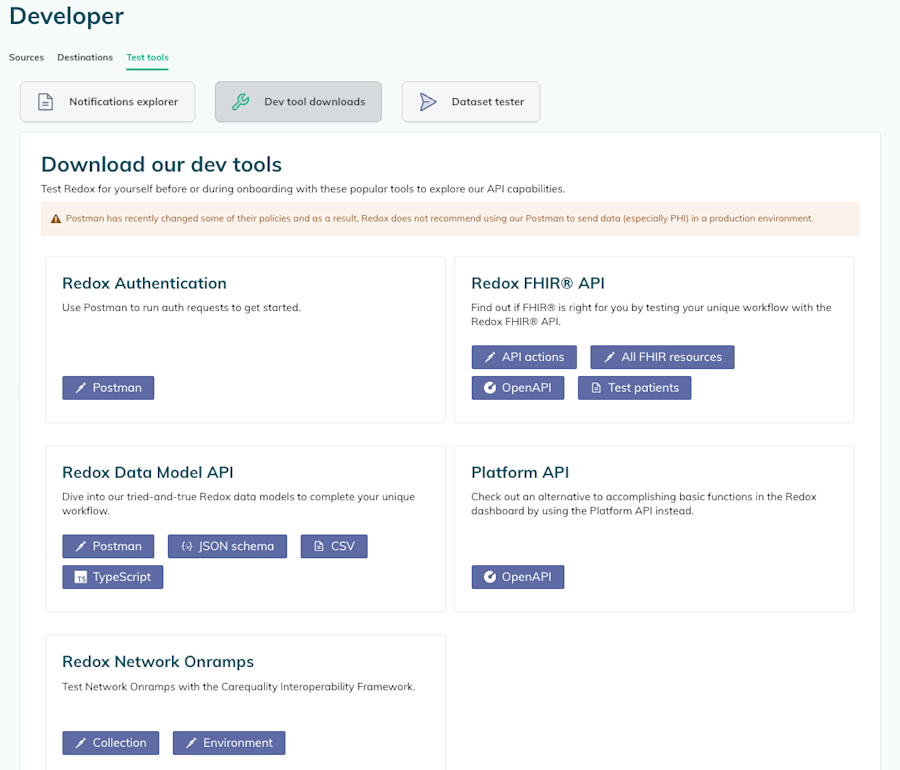
- Postman collection: Use the authentication Postman collection to test sending data from one of your configured sources using Postman. Find the related authentication Postman environment on the Developer > Sources > OAuth API key > Edit > DevTools (Postman) page.
- Postman API actions collection: Use the Redox FHIR® API actions Postman collection to test sending Redox FHIR® resources from one of your sources using Postman. Find the related authentication Postman environment on the Developer > Sources > OAuth API key > Edit > DevTools (Postman) page. Review available FHIR® API actions.
- Postman All FHIR® resources collection: Mock out your app’s unique workflow with any of our available Redox FHIR® resources in Postman.
- OpenAPI: Validate your app by running this file as a machine-readable reference doc through a validator module or functional testing tool.
- Test patients: Review and use test patient data for the Redox FHIR® sandbox. Learn more about the FHIR® sandbox.
- Postman collection: Mock out your app’s unique workflow with any of our available Redox JSON data models in Postman. Find the related authentication Postman environment on the Developer > Sources > OAuth API key > Edit > DevTools (Postman) page.
- JSON schema: Validate your app by running this as a machine-readable reference doc through a validator module or functional testing tool.
- CSV: Evaluate and map Redox-supported fields to your app’s unique workflow.
- TypeScript: If your app uses TypeScript, you can reference our TypeScript types instead of writing your own types for Redox data models.
- OpenAPI: Validate your app by running this file as a machine-readable reference doc through a validator module or functional testing tool.
- Postman collection: Mock out your app’s unique workflow with the Carequality Interoperability Framework using our available Redox data models in Postman.
- Postman environment: Download a Postman environment with the relevant pre-populated variables to use the Carequality Postman collection.