
Rotating your API keys means changing which API key your organization uses to make authorized requests.
As a best practice, we recommend rotating your API keys on a regular cadence that makes sense for your organization (e.g., every six months). Or you may need to rotate keys in response to a leaked key.
- A user must be assigned to an engineer role to create or authenticate API keys. Learn about user roles.
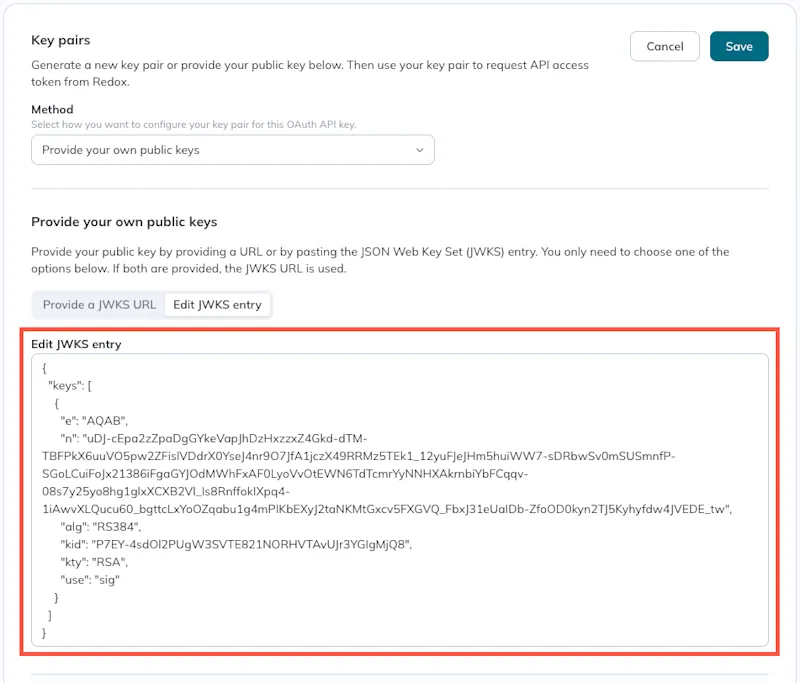
- (For OAuth API keys: Option 1) Have your new JWK entry ready to enter into the Redox dashboard.
You can rotate OAuth API keys without downtime or Redoxer involvement. You have two options for rotating an OAuth API key:
- (Recommended) Use one OAuth key with multiple public keys.
- Use multiple OAuth keys with unique public keys for each one.
Option 1: One OAuth API key | Option 2: Multiple OAuth API keys | |
|---|---|---|
Recommended | Yes (follows best practices for rotating API keys) | No |
Downtime | None | None |
Requires third-party tool for public keys | Yes | No |
Change client ID | No (client ID stays the same) | Yes (client ID must be updated) |
Complexity | Medium (requires JSON editing) | Low |
Risk | Medium (if there's a typo in JSON) | Low |
Rotating legacy API keys requires downtime and usually involves Redox support. Submit a request to our Help Center if you need help with this.
Alternatively, you could start using OAuth API key(s) alongside—or instead of—legacy API key(s). To do this, migrate from a legacy API key to an OAuth API key.